On this page
We may earn a commission if you buy through links here. Brands do not pay to be listed. As an Amazon Associate I earn from qualifying purchases.
First, test what you have
Do this five minute test first:
- Stand next to your current router and run a speed test on your phone, on the 5 GHz network if you have one.
- Run the same test in the room where Wi-Fi feels slow.
| Result | Likely problem | What to do |
|---|---|---|
| Slow in both places | The plan, the ISP or the router | Test with a LAN cable to a laptop, then call the ISP if it is still slow |
| Fast nearby, slow far away | Coverage | Move the router first. Then think about a new one or a second device |
| Fast on a laptop, slow on an old phone | The old phone | A new router may not help |
Match the router to your plan
No router can exceed your plan. The aim is to stop the router from being the slow part.
| Your plan | Ports | Wi-Fi to look for |
|---|---|---|
| Up to 50 Mbps | Any | N300 can do, dual band is nicer |
| 100 Mbps | Gigabit is good to have | Dual band AC1200 or better |
| 200 to 300 Mbps | Gigabit needed | Dual band Wi-Fi 5 or Wi-Fi 6 |
| 500 Mbps to 1 Gbps | Gigabit needed | Wi-Fi 6, and a LAN cable for full speed |
Gigabit ports: the sum most buyers miss
A LAN port on an older router runs at 100 Mbps, and in real use gives about 95 Mbps. If your fibre line enters such a port on a 300 Mbps plan, you lose two thirds of your speed before Wi-Fi even starts. A gigabit port runs at 1000 Mbps, so it removes this limit.
A high Wi-Fi number on the box does not tell you the port speed, so read the listing.
What AX1500 and AC1200 really mean
Those numbers add up the top speed of both bands. You will not see that figure on any one device.
| Label | Wi-Fi generation | Top speed by band |
|---|---|---|
| N300 | Wi-Fi 4 | 300 Mbps on 2.4 GHz |
| AC1200 | Wi-Fi 5 | About 300 on 2.4 GHz + about 867 on 5 GHz |
| AX1500 | Wi-Fi 6 | About 300 on 2.4 GHz + about 1200 on 5 GHz |
Real Wi-Fi speed is often around half of the band figure, or less through walls. So as a rule of thumb, an AC1200 router gives a phone perhaps 300 to 400 Mbps in the same room.
Wi-Fi 5 vs Wi-Fi 6
Wi-Fi 6 is not magic through walls. Its main gain is handling many devices at once, such as phones, TVs, laptops, cameras and smart plugs.
- Choose Wi-Fi 6 if your home has many devices, your phones and laptops support it, or you plan to keep the router for years.
- Wi-Fi 5 can be enough in a small home with a few devices on a plan of 100 to 200 Mbps.
Check your own devices first. A Wi-Fi 5 phone connects to a Wi-Fi 6 router at Wi-Fi 5 speeds.
Dual band, flats and walls
A dual band router has two networks. The 2.4 GHz band is slower but reaches further and passes walls more easily. It is also crowded in apartment blocks, where every neighbour's router uses it too. The 5 GHz band is much faster, but concrete walls weaken it quickly.
Many Indian flats have thick concrete walls and beams, so check coverage room by room.
| Home | A sensible setup |
|---|---|
| 1 BHK or small 2 BHK | One dual band router in a central spot |
| Large 2 BHK or 3 BHK | One router, well placed. Add a second device if rooms stay weak |
| Duplex or many thick walls | Two access points or a mesh system, linked by LAN cable if possible |
A bigger router alone rarely fixes a home with many walls.
Placement
Installers often fix the box near the main door. Moving it can help more than buying a new one.
- Place it near the middle of the home and at a height.
- Keep it in the open, not inside a TV cabinet.
- Keep it away from steel almirahs, mirrors and microwave ovens.
- Stand the antennas upright to begin with.
When the ISP router is enough
Keep it if your plan is around 100 Mbps, your flat is small, it is dual band, and the speed test is fine in the rooms you use. Some services such as landline calling may depend on the ISP box, so ask before you remove it.
Top 5 Wi-Fi routers to look at
We have not tested these. The details come from each Amazon listing, and the pros and cons are our reading of those details and of this type of product. This is a shortlist, not a ranking. We picked popular listings on Amazon.in, so the order does not mean one is better. Check the current price, warranty, ports and reviews on Amazon.
| Product | Type | Listed detail |
|---|---|---|
| TP-Link Archer AX10 | Wi-Fi 6 | AX1500 |
| TP-Link Archer AX12 | Wi-Fi 6 | AX1500 |
| TP-Link Archer C6 | Gigabit | AC1200 |
| D-Link DIR-825 | Dual band, gigabit | 1200Mbps |
| TP-Link TL-WR845N | Router | N300 |
1. TP-Link Archer AX10

The TP-Link Archer AX10 is a dual band Wi-Fi 6 router with gigabit ports. It looks very close to the Archer AX12, but it lists 4 ports where the AX12 lists 3, and it adds Alexa support. It is aimed at homes with many connected devices that support Wi-Fi 6.
Key details
- Wi-Fi: Wi-Fi 6 AX1500, listed as up to 1201 Mbps on 5 GHz
- Ports: 4, with 1000 Mbps LAN speed
- Antennas: 4 fixed, with Beamforming
- Features: OFDMA, MU-MIMO, access point mode, parental control
- Control: app, works with Alexa
- Warranty: 3 years
- Gigabit ports stop the port from being the slow part on a faster plan.
- OFDMA and MU-MIMO are built for many devices at once.
- Access point mode gives it a second use if you later change your main router.
- WPA3 is not stated in this listing, unlike the AX12, so confirm the security options.
- Only devices that support Wi-Fi 6 get its full benefit, so check yours.
Good for: A connected home on a 200 Mbps or faster plan that wants more wired ports.
2. TP-Link Archer AX12
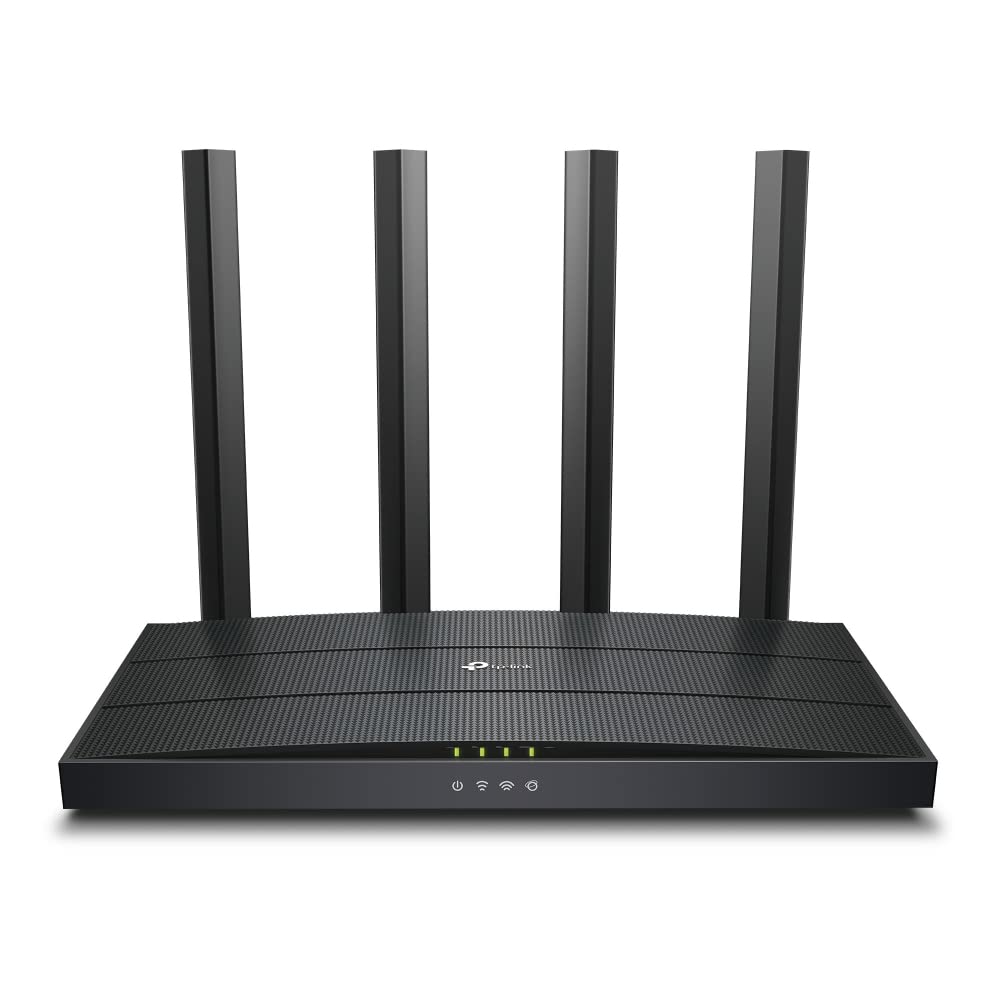
The TP-Link Archer AX12 is another AX1500 Wi-Fi 6 router, with the same listed band speeds as the AX10. It differs by stating WPA3 security and Target Wake Time, and its coverage is listed for 2 to 3 bedroom houses. It is aimed at smaller homes with several newer devices.
Key details
- Wi-Fi: Wi-Fi 6 AX1500, listed as up to 1201 Mbps on 5 GHz
- Ports: 3, listed at 10/100/1000 Mbps
- Antennas: 4 fixed, with Beamforming
- Security: WPA3 and WPA2
- Setup: TP-Link Tether app, with parental control and QoS
- Warranty: 3 years
- WPA3 is stated in the listing, which the other routers here do not say.
- Target Wake Time is listed for reducing the power your devices use.
- The listed Tether app setup suits someone who dislikes router web pages.
- Only 3 ports are listed, so confirm how many are LAN if you connect devices by cable.
- Only devices that support Wi-Fi 6 get its full benefit, so check yours.
Good for: A 2 or 3 bedroom home with newer phones and laptops and few wired devices.
3. TP-Link Archer C6

The TP-Link Archer C6 is a dual band Wi-Fi 5 router with five gigabit ports. It lists more ports than the two Wi-Fi 6 models, but an older Wi-Fi generation. It is aimed at small homes with a few devices on a plan of 100 to 200 Mbps.
Key details
- Wi-Fi: Wi-Fi 5, AC1200, listed as up to 867 Mbps on 5 GHz and 400 Mbps on 2.4 GHz
- Ports: 5 gigabit
- Antennas: 4 external, with Beamforming
- Features: MU-MIMO, access point mode
- Setup: TP-Link Tether app
- Warranty: 3 years
- Gigabit ports remove the 100 Mbps limit that older routers have.
- Access point mode lets it spread Wi-Fi from a wired connection.
- MU-MIMO is listed for sending data to several devices at once.
- It is Wi-Fi 5, so a home with many devices will not get the Wi-Fi 6 gains.
- The security listed stops at WPA2, with no WPA3 stated.
- The title says external antennas but one spec says internal, so check the photos.
Good for: A small home on a mid-speed plan that does not need Wi-Fi 6.
4. D-Link DIR-825

The D-Link DIR-825 is a dual band AC1200 router. Its main difference from the Archer C6 is a repeater mode, so it can extend an existing router. It is aimed at a 1 BHK or small 2 BHK.
Key details
- Wi-Fi: Wi-Fi 5 (802.11ac), AC1200, listed as up to 867 Mbps on 5 GHz and 300 Mbps on 2.4 GHz
- Ports: 1 gigabit WAN and 4 gigabit LAN
- Antennas: 4 high gain omni
- Modes: router, access point, repeater
- Setup: D-Link Assistant app or web page
- Warranty: 3 years
- The port split is clearly stated, so you know what you can plug in.
- Repeater mode gives you a second use if you later move to a new main router.
- MU-MIMO is listed for sending data to several devices at once.
- The specs show only WEP and WPS for security, so confirm WPA2 or WPA3 support.
- It is Wi-Fi 5, not Wi-Fi 6, so a busy home with many devices gains less.
Good for: A small home that wants clear gigabit ports and the option of repeater use.
5. TP-Link TL-WR845N

The TP-Link TL-WR845N is a single band N300 router, which makes it the simplest of the five. It works on 2.4 GHz only and its ports run at 100 Mbps, while the other four have 5 GHz and gigabit ports. It is aimed at small homes on plans of up to 50 Mbps.
Key details
- Wi-Fi: Wi-Fi 4, listed as up to 300 Mbps on 2.4 GHz
- Ports: 5, listed at 10/100 Mbps
- Antennas: 3 fixed, 5dBi
- Coverage: listed as 1000 sq ft, or a 2 bedroom home
- Features: AP, RE and WISP modes, guest network, IPv6
- Warranty: 3 years
- A guest network keeps visitors off your main Wi-Fi.
- Bandwidth control lets you set how much each PC can use.
- Its modes give it a later use as an extender.
- The 10/100 ports cap wired speed at about 95 Mbps, so faster plans lose speed before Wi-Fi starts.
- There is no 5 GHz band, and 2.4 GHz is crowded in apartment blocks.
Good for: A small home on a plan of up to 50 Mbps with a few devices.
During power cuts
A router goes off with the mains, and so does the fibre box. A mini DC UPS can keep both running, but check that it matches the voltage and amps on each adapter. Also, the ISP's own equipment nearby may lose power in a long cut, which no home backup can fix.
Read next
We read the Amazon listings, compared the details and noted what they leave out. We have not tested these products, and brands do not pay to be listed.
Common questions
Will a new router make my internet faster?
It cannot go above the speed of your plan. It can help if your old router is the bottleneck, for example with 100 Mbps ports on a 300 Mbps plan.
Is Wi-Fi 6 worth it on a 100 Mbps plan?
Only if you have many connected devices or expect to upgrade the plan. On one or two phones in a small flat, a dual band Wi-Fi 5 router can be enough.
Will my own router work with my ISP?
Usually, but fibre ISPs often give you a combined box. You may connect your router behind it, or ask the ISP about bridge mode. Check with your ISP before you buy.